
Insurance
Renewal forms become renewal comparisons, ready for your team to review
You load in the renewal, the expiring policy and what the client asked for.

Today, by hand
Compared by hand
Each renewal is read against the expiring policy.
Easy to slip
A coverage change, like a lower limit, a higher deductible or a dropped endorsement, can go unseen.
Held in one head
What each client asked for lives with one person.
How it works
Down the line, step by step
Each step is held to the rules your team approved.
- Step 1: Loaded inThe renewal, the expiring policy with its endorsements, and what the client asked for.
- Step 2: Your rules appliedEach renewal is checked against the rules your team set.
- Step 3: Under your controlYour licensed team reviews the results and any coverage changes, and approves changes to your rules.
- Step 4: Ready for your teamRenewal comparison prepared to your rules, ready for your team to review and use.


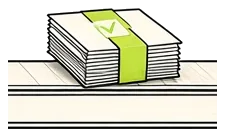

Rulefinch prepares the work. Your team decides what goes to the client.
The finished job
What comes off the line
Example only, not real data
1 to follow upRenewal comparison, ready for your team to review
- Named insured
- Same as expiring
- Deductible
- Same as expiring
- Endorsements
- Carried over
- Liability limit
- Lower than expiring, held for follow up
Your licensed team reviews the lower limit and decides what goes to the client.
Held to your rules
- Named insureds match the expiring policy
- Limits and deductibles are compared side by side
- Endorsements carry over or are listed
- Any change in coverage goes to your licensed team
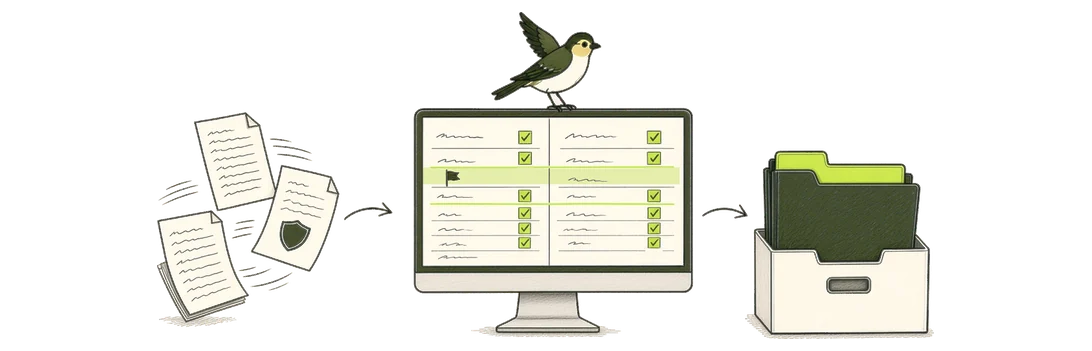
Bring a renewal, and see the comparison it becomes
We set up the rules with you, your team approves them, and you see the finished job.
A redacted or sample copy of a real case is fine.